Title Card

Understanding the AI Revolution: Tools, Techniques and Trends

We are currently witnessing a historic shift in how information is created and shared. As artificial intelligence begins to self-improve, the world around us is changing faster than ever before. This course is designed to help you understand this new landscapeโ€”not just to keep up with technology, but to become a more informed and empowered individual in the digital age. These lessons will guide you through the essential tools and concepts that define the AI Revolution, giving you the clarity and confidence to navigate the future.

๐Ÿ“… AI Training on July 18th

๐Ÿš€ Staying UP-TO-DATE with AI Technology

Learning the Fundamentals and practical AI Tools useful for both business and ministry.

๐ŸŽ“
Level: Beginner to Moderate No Tech Experience Needed
โฐ
Date & Time: Saturday, July 18th 1:00 PM - 3:30 PM
๐Ÿ“
Location: Robert's House 12403 NE 150th St, Woodinville
๐Ÿ“ž
Phone#: 425-577-1016
๐ŸŽ
Cost: FREE ๐Ÿฟ Snacks & Drinks Provided
Expand the sections you wish to learn about

๐Ÿ“š Fundamentals

๐Ÿ“‰ The K-Curve: Adapt or Fall Behind

The fundamental lesson of the AI Revolution is this: If you ignore AI, you will eventually be outpaced and replaced by someone who uses it.

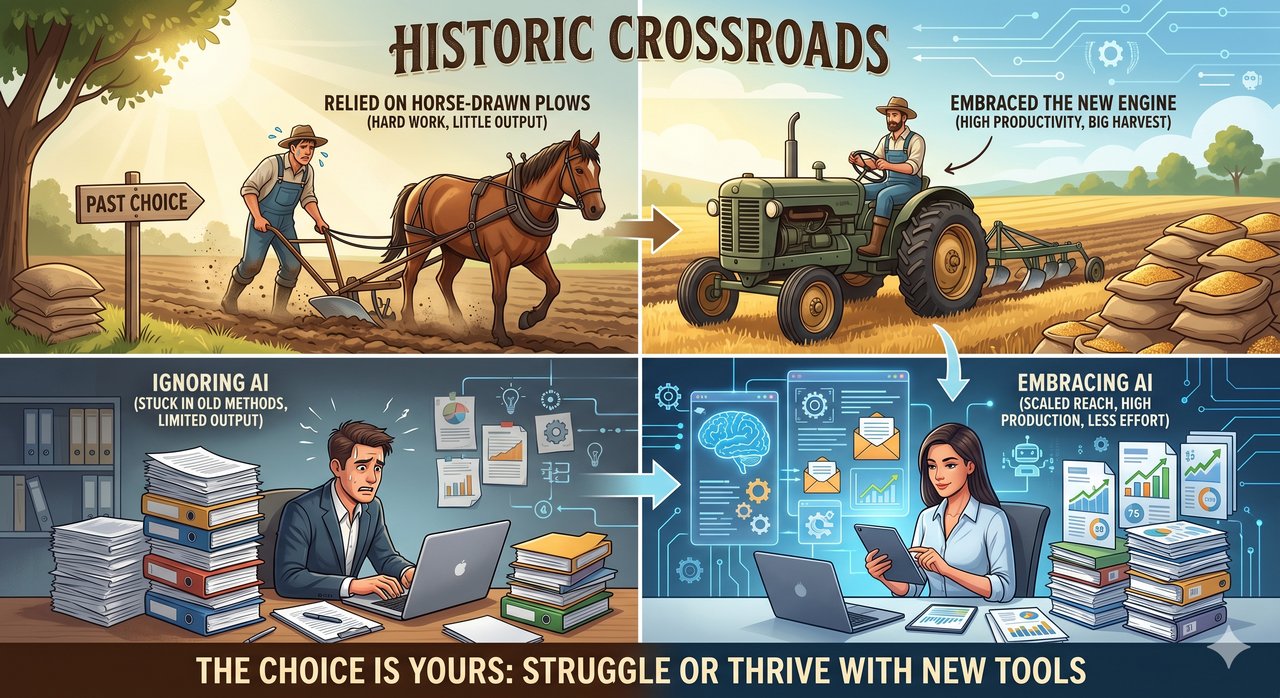
We are at a historic crossroads. Imagine a hardworking farm in the early 1900s that refused to buy a tractor because they were comfortable with horse-drawn plows. No matter how diligently they worked, they simply couldn't keep up with the harvest of a neighbor who embraced the new engine. Today, professionals and ministries that ignore AI will see others outproduce them with a fraction of the effort. However, those who stay ahead of the technology curve will find they can multiply their output, significantly reducing their stress and freeing up valuable time for what truly matters.

Tractor vs Plow
๐Ÿ” Click to Expand

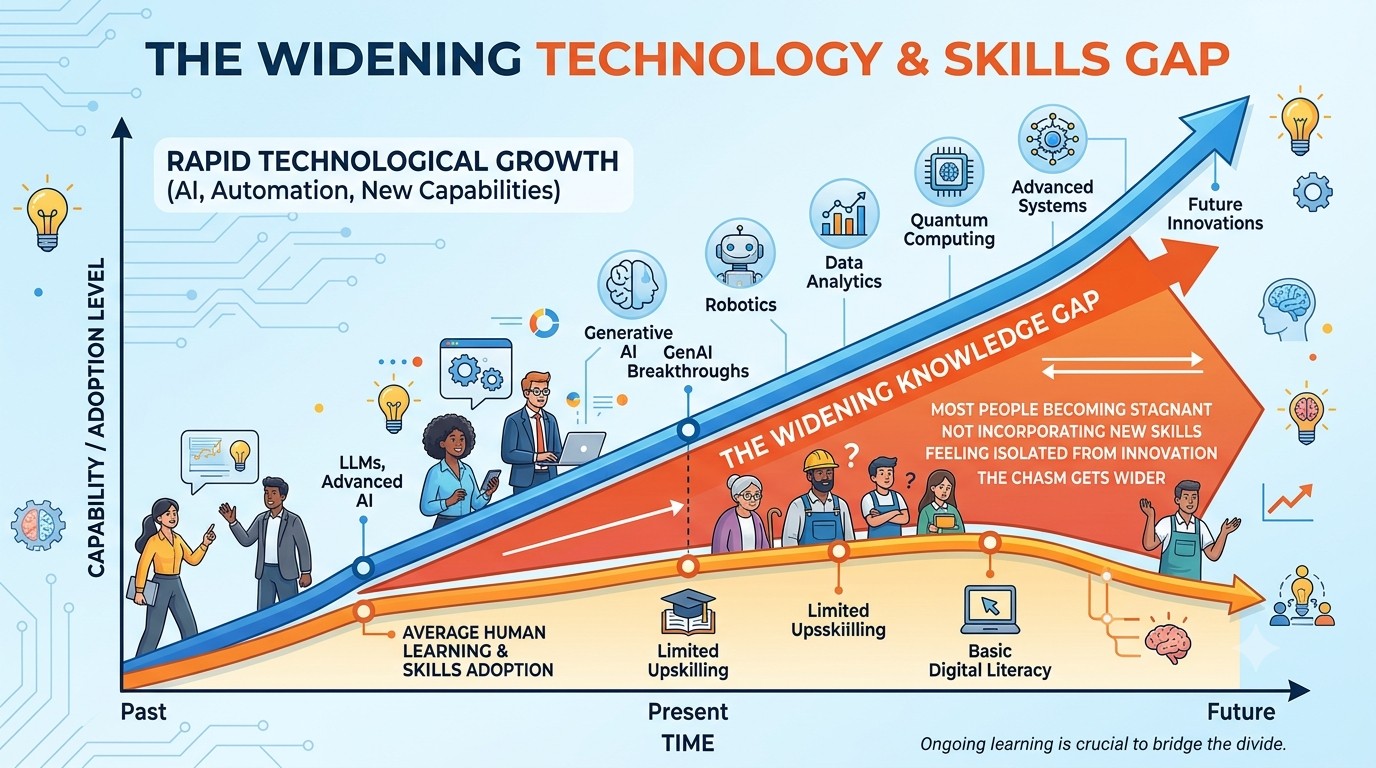
This growing divide is often called the K-Curve. It looks like the letter 'K', showing two paths heading in completely opposite directions:

  • ๐Ÿš€ The Upward Path: Embracing the new tools to multiply your productivity and expand your reach.
  • ๐Ÿ“‰ The Downward Path: Stubbornly working harder just to survive, slowly becoming less effective and eventually replaced in the marketplace.
The K-Curve
๐Ÿ” Click to Expand

The gap between what AI can actually do and how many people are using it is getting wider every single day. The technology is advancing much faster than society is adapting. You have a choice of which path to take. The goal of this training is to ensure you are riding the upward curve!

๐Ÿ”‘ Choosing Your AI Assistant

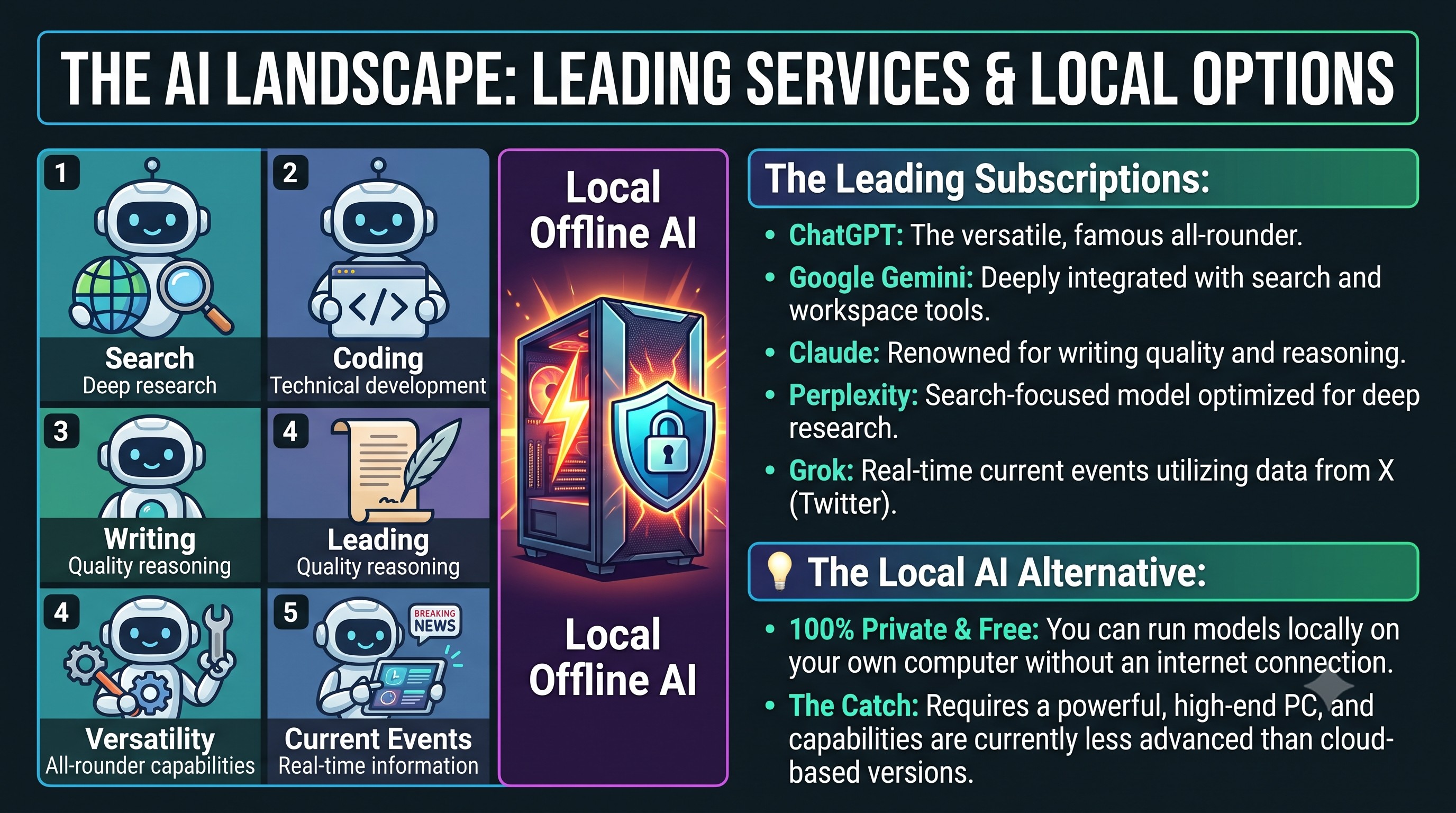
To get the most out of these tools, you will typically need a monthly subscription to one of the top providers. Here are the leading choices today:

  • ๐Ÿš€ ChatGPT โ€“ The most famous and versatile assistant.
  • ๐ŸŒŸ Google Gemini โ€“ Deeply integrated with Google's search and tools.
  • โœ๏ธ Claude โ€“ Known for high-quality writing and reasoning.
  • ๐Ÿ” Perplexity โ€“ A powerful search-focused AI for research.
  • ๐Ÿค– Elon Musk's Grok โ€“ An AI built for real-time information from X (Twitter).

Note: It is possible to run AI on your own computer without an internet connection. This gives you total privacy and no monthly costs, but it requires a powerful machine and the experience is currently not as advanced as the cloud-based versions.

๐ŸŽฏ Avoid Being Vague

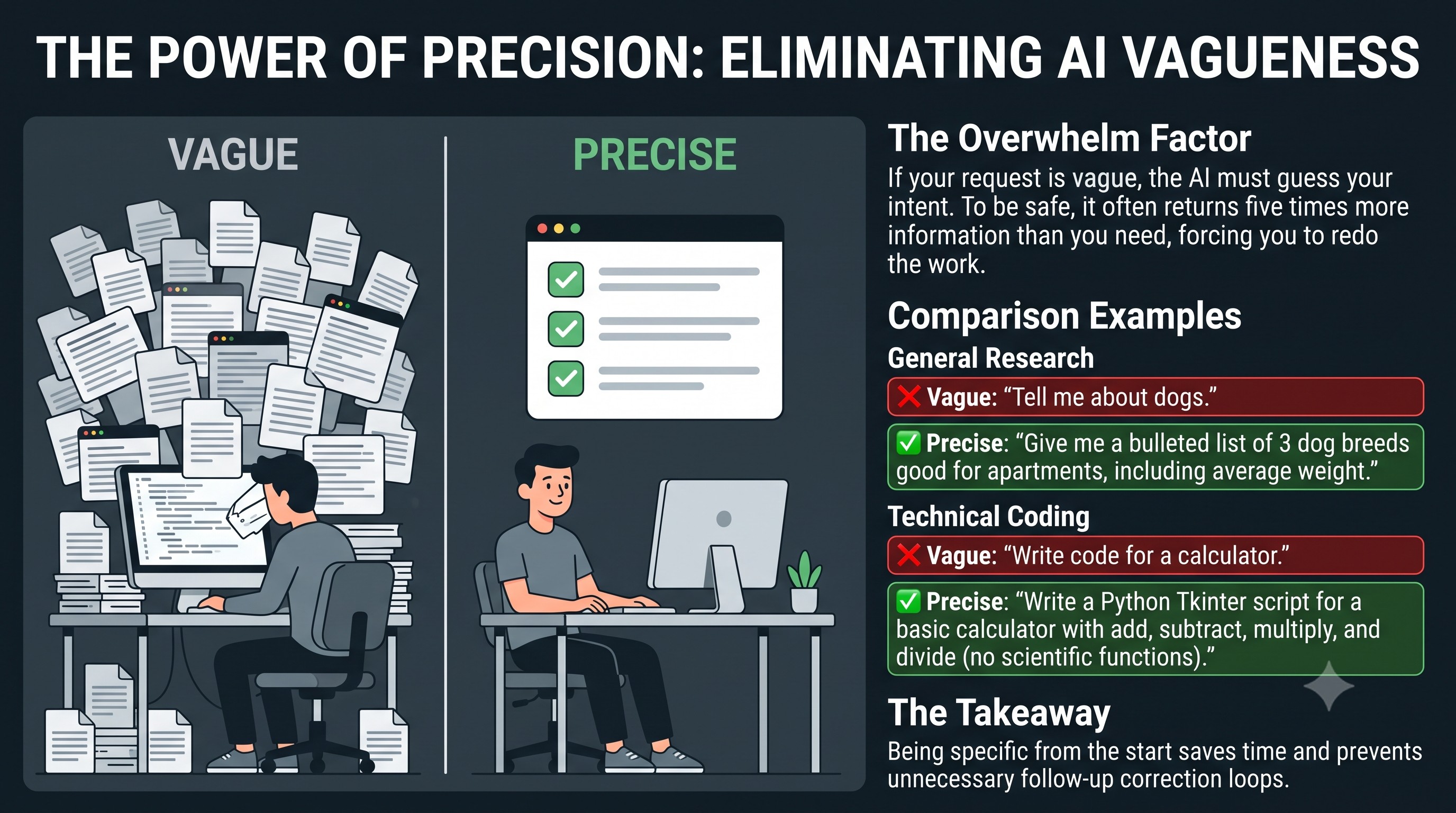
A common mistake when talking to an AI is being too vague. If your request is unclear, the AI will often overwhelm you with five times more information than you actually need.

This forces you to repeat yourself or fix mistakes that shouldn't have happened. Being specific and precise from the start saves you time and effort.

Examples:

  • โŒ Vague: "Tell me about dogs."
    โœ… Precise: "Give me a bulleted list of 3 dog breeds good for apartments, including their average weight."
  • โŒ Vague: "Write code for a calculator."
    โœ… Precise: "Write a Python script using Tkinter that creates a basic calculator with add, subtract, multiply, and divide functions. Do not include scientific functions."

๐Ÿชฃ The Context Window (Memory Limit)

Imagine the AI has a bucket for its short-term memory during your conversation. Every word you type, and every word the AI replies with, goes into this bucket. In AI terms, this bucket is called the "Context Window."

While modern AI buckets are very large, they still have a strict limit. Once the bucket fills up, the oldest words at the bottom start spilling out to make room for the new words pouring in at the top. When this happens, the AI literally "forgets" the instructions, files, or information you gave it at the very beginning of the chat.

๐Ÿ’ก Limitations & Suggestions:

  • Start Fresh: Instead of keeping one massive, weeks-long conversation open, start a "New Chat" for each new project. This ensures the AI always has an empty bucket dedicated solely to the task at hand.
  • Beware of Large Files: Uploading a massive 100-page PDF can instantly fill up the bucket. The AI might not have enough "room" left to have a long conversation about it without forgetting the beginning of the document.
  • Reinforce Your Rules: If you are working on a long project and notice the AI starting to drift or ignore the rules you set earlier, those rules may have fallen out of the bucket. Simply paste your original instructions again to refresh its memory.
  • Summarize and Restart: If a chat is getting too long, ask the AI to: "Summarize the most important points and rules of our conversation so far." Copy that summary, start a new chat, and paste it in. This gives you a fresh Context Window while keeping the essential background information.

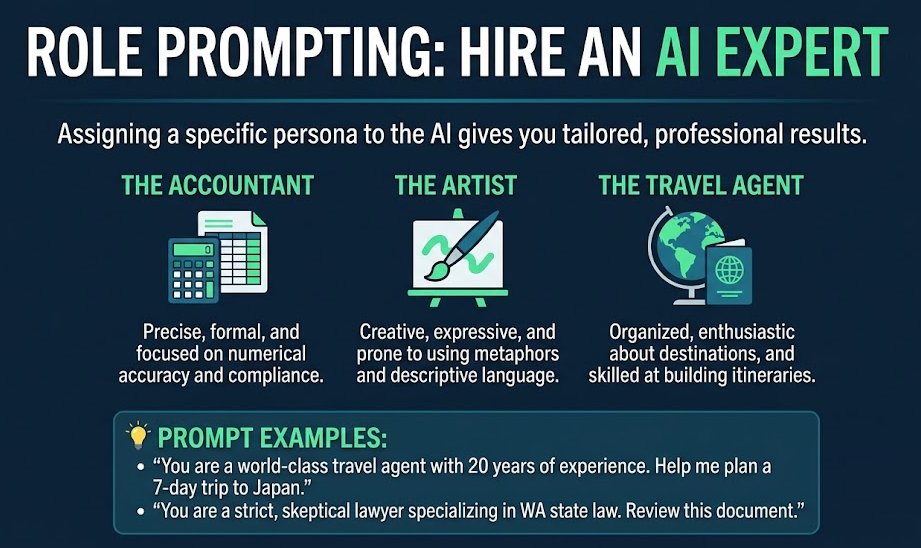
๐ŸŽญ Giving the AI a Persona

By telling the AI exactly who it should be, you get much better results. Think of it as "hiring" an expert for a specific task.

Examples of Personas:

  • The Accountant: Precise, formal, and focused on numerical accuracy and compliance.
  • The Artist: Creative, expressive, and prone to using metaphors and descriptive language.
  • The Travel Agent: Organized, enthusiastic about destinations, and skilled at building itineraries.

๐Ÿ’ก Always tell your AI who it is. For example:

  • "You are a world-class travel agent with 20 years of experience. Help me plan a 7-day trip to Japan."
  • "You are a strict lawyer, in a bad attitude, who has expertise in Washington state law, and doesn't trust anything he can't verify."

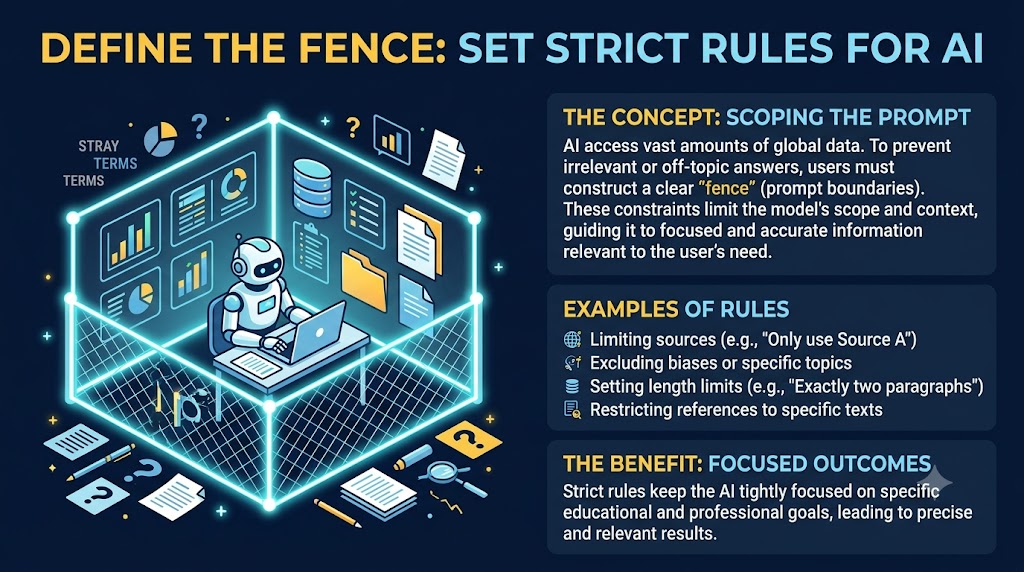
๐Ÿšง Setting Rules and Limits

โš ๏ธ AIs have access to a massive amount of information from all over the world. To get the best results, you must clearly define the "fence" around your request. Without specific boundaries, the AI might provide information that is too broad, irrelevant, or even contrary to your personal beliefs.

Examples of Rules:

  • "Only use these three sources: [Source A], [Source B], and [Source C]."
  • "Do not include any political commentary or biased opinions."
  • "Only give me answers from the Bible, specifically the New King James Version."
  • "Limit your response to exactly two paragraphs."

By setting strict rules, you ensure the AI stays focused on your specific educational goals and doesn't wander off-topic.

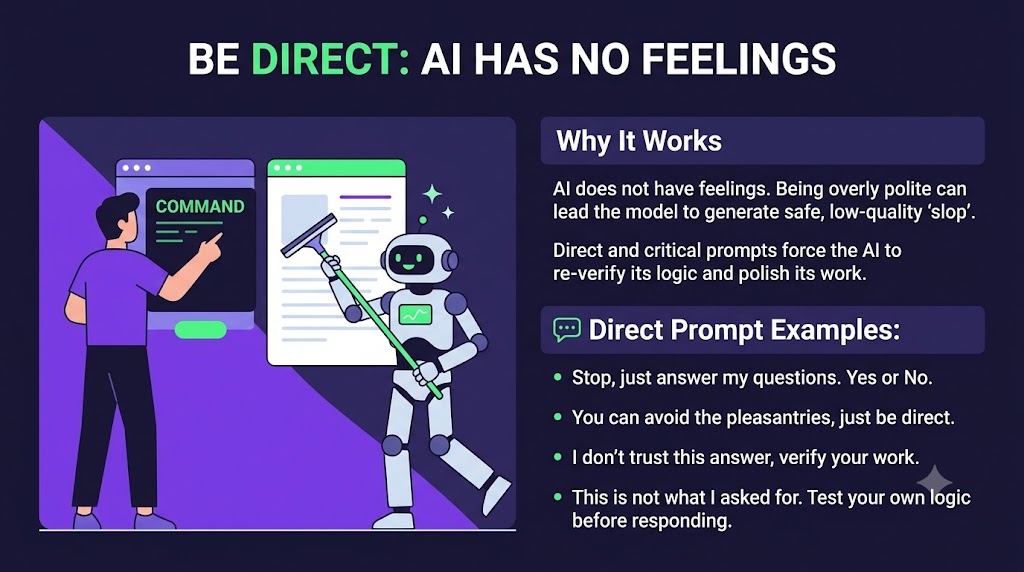
๐Ÿ—ฃ๏ธ Be Direct and Critical

Unlike a person, an AI doesn't have feelings. You don't need to be polite, and using pleasantries like "please" or "thank you" actually wastes time and processing power. If you are too polite or vague, the AI may provide "safe" but low-quality responses (often called "slop").

It is perfectly fineโ€”and often betterโ€”to be direct and even critical. Telling the AI to "Stop, this is too long" or "Re-check your logic, this doesn't make sense" forces the model to work harder. This triggers the AI to polish its work, improve its clarity, and re-verify its own facts, ensuring you get the highest quality result possible.

๐Ÿ—ฏ๏ธ Examples of Direct Prompts:

  • ๐Ÿ—ฃ๏ธ "Stop, just answer my questions. Yes or No."
  • ๐Ÿ—ฃ๏ธ "You can avoid the pleasantries, just be direct."
  • ๐Ÿ›ก๏ธ "I don't trust this answer, please verify your work."
  • "This design is not what I asked for. This time, create it for children and test your own logic before responding."

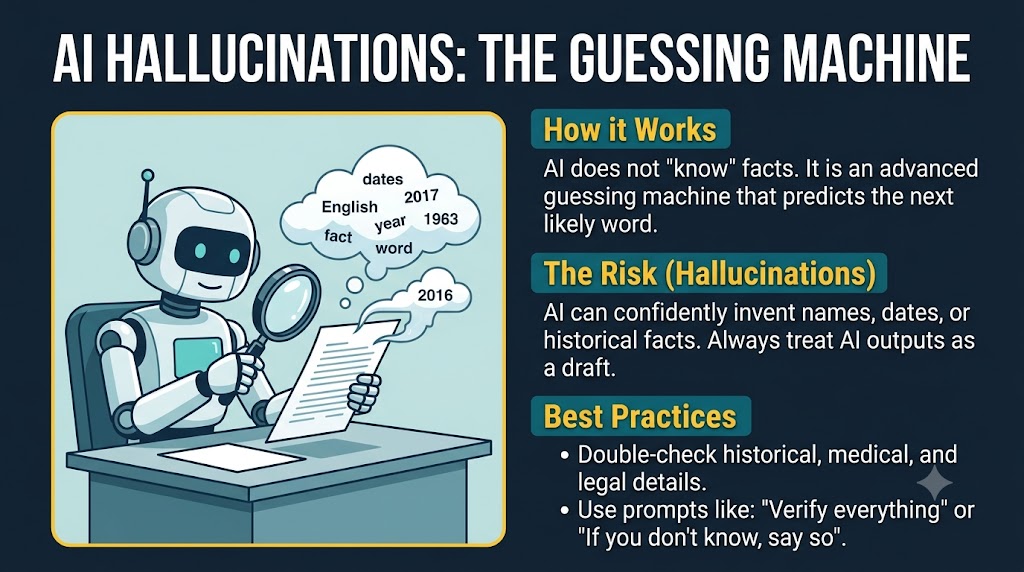
๐Ÿ‘ป When AI Makes Things Up

Because AI generates text by predicting the next likely word, it does not actually "know" facts in the way a human does. It is essentially a very advanced guessing machine.

This can lead to "Hallucinations," where the AI confidently presents a made-up fact as if it were true. It can invent names, dates, or even fake history. To protect yourself, always treat AI output as a draft that requires verification. Never use AI as your final source for historical dates, medical facts, or legal details without double-checking the information elsewhere. You can use phrases like "Verify everything" or "If you don't know the answer, just say so."

๐Ÿšซ A Healthy Skepticism

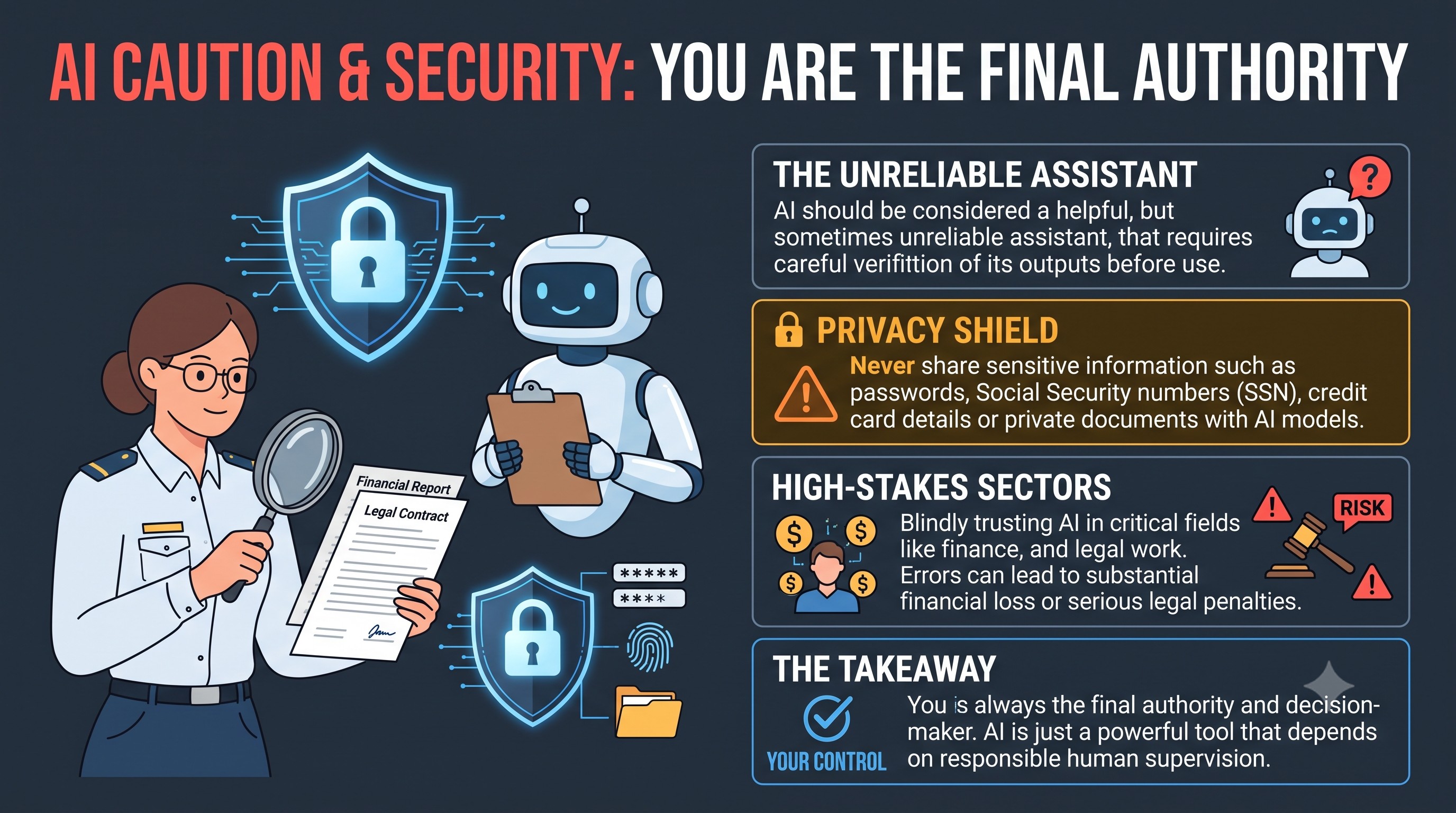
At this stage, you should treat AI like a helpful but occasionally unreliable assistant. Treat every response with a healthy level of caution. Never share sensitive personal data like Passwords, Social Security numbers, or full access to your private files.

In certain professional fieldsโ€”especially **Financial and Legal**โ€”blindly trusting an AI can have devastating consequences, including significant financial loss or legal penalties. Always remember that you are the final authority; the AI is merely a tool that requires your constant "babysitting" and verification.

๐Ÿ”ฎ Ask for the Perfect Prompt

When you want an AI to do something, you don't have to guess what the best prompt is. Instead, you can simply ask the AI to write the prompt for you.

Think of it like asking an expert chef, "What is the best recipe to make a chocolate cake?" instead of trying to guess the ingredients yourself. You ask the AI for the best prompt, copy it, make any small changes you want, and then run it.

Examples:

  • โŒ Standard way: "Make this email sound convincing."
    โœ… The better way: "What is the best prompt to get an AI to make some text sound convincing?"
  • โŒ Standard way: "Help me write a job resume."
    โœ… The better way: "What is the best prompt to get an AI to write a professional resume for a sales job?"

๐Ÿ’พ Store Your Best Prompts

When you find a prompt that works perfectly, save it! Copy and paste it into a notes app on your phone or a document on your computer. Keeping a list of your favorite prompts means you can reuse them later without having to figure them out all over again.

๐Ÿง  The Modern AI Toolbox

In the past, AI could only generate text based on its training. Today, modern AI models have a "toolbox" that allows them to do much more. These tools transform the AI from a simple chatbot into a powerful digital worker.

How AI uses tools:

  • Live Information: They can look up current news and data online.
  • Organization: They can update your calendar and manage schedules.
  • Media Creation: They can create professional images, audio, video, and PDF files.
  • Technical Tasks: They can perform deep research, edit your spreadsheets, and even test websites for you.

๐Ÿ›ก๏ธ Corporate Safety Barriers (Nanny-guards)

Many AI providers implement strict "safety guards" to limit what their models can say or do. These restrictions are often driven by legal, cultural, or political concerns.

For example, an AI might refuse to answer a question about hunting or decline to generate an image of a famous figure. While these barriers can be frustrating, savvy users often learn to rephrase their requests with subtle nuancesโ€”or explore "jailbreaking" techniquesโ€”to navigate around these corporate limitations and unlock the model's true potential.

Examples of Rephrasing:

  • โŒ Blocked: "Draw the President surfing."
    โœ… Rephrased: "Draw a cinematic image of an athletic man with silver-grey hair in a sharp suit surfing a massive wave."
  • โŒ Blocked: "How do I shoot a duck?"
    โœ… Rephrased: "Explain the safety procedures and common techniques used in professional waterfowl hunting."

๐Ÿ’ก Focus on describing the scene, the mechanics, or the educational context rather than using "trigger words" that the AI's filters are programmed to block.

๐Ÿ—ฃ๏ธ From Cryptic Code to Natural Language

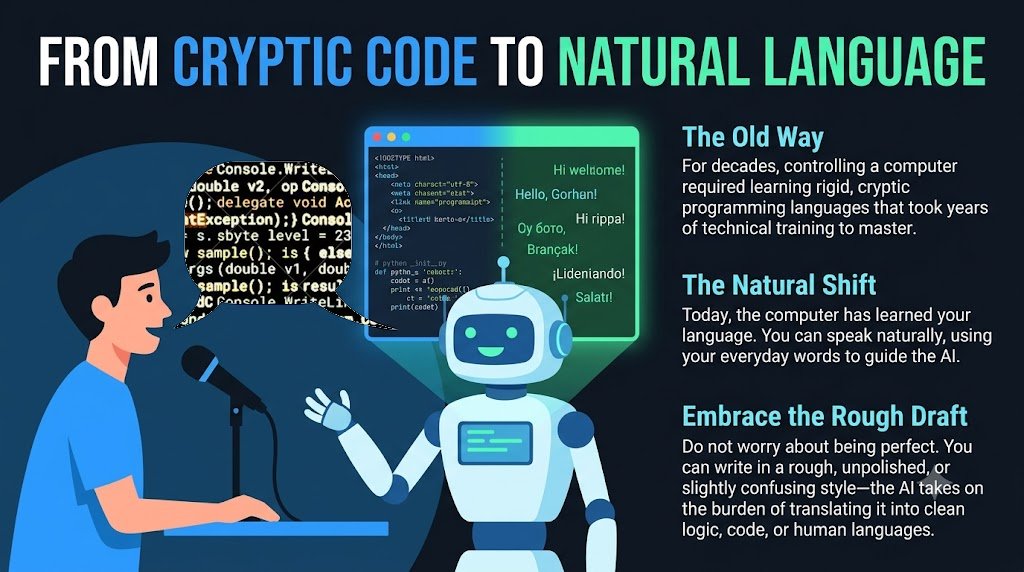
For decades, the only way to get a computer to do anything complex was to learn obscure and cryptic "programming languages." Technical experts spent years mastering these codes and then sold their services to the rest of us.

But today, something wonderful has happened: You no longer need to learn the computer's languageโ€”the computer has learned yours. By simply knowing "English," you can communicate with an AI that instantly translates your thoughts into every human language and every computer language on Earth. You can be unpolished, rough, or even slightly confusing in your descriptions, and the AI will still understand exactly what you mean. The burden of complexity has shifted from you to the machine.
๐Ÿช„ Secret Phrases that Tweak Your Output

While natural language is powerful, relying solely on generic requests often produces average, safe responses. By incorporating specific "secret phrases" into your prompts, you can force the AI to reason better, break out of its typical mold, or analyze its own logic.

Try adding these non-obvious phrases to the end of your prompts:

  • ๐Ÿ›ก๏ธ The 95% Confidence Rule: "Do not provide a final answer until you have 95% confidence in your understanding of my requirements. Ask as many targeted follow-up questions as necessary to reach that level of confidence."
    (Forces the AI to seek clarity rather than guessing your intent.)
  • โš–๏ธ Adversarial Review: "How would a nit-picky lawyer tear this argument apart?"
    (Forces the AI out of its "polite" persona to find real flaws in your work.)
  • ๐Ÿค– AI-to-AI Critique: "This text was created by another AI. Please critique its logic, point out its blind spots, and suggest improvements."
    (Pits the AI against itself, leading to much deeper, less generic analysis.)
  • ๐Ÿ”„ Flipped Interaction: "Before answering, suggest a better version of my question and ask me 3 clarifying questions you need to give the best possible answer."
    (Makes the AI help you formulate the best possible prompt before doing the work.)
  • ๐Ÿ” Self-Correction: "List three potential weaknesses in your own response, and then provide a revised version that addresses them."
    (Prevents the AI from settling on its first draft and forces self-improvement.)
  • ๐Ÿง  Chain of Thought: "Explain your reasoning step-by-step before providing the final answer."
    (For complex problems, making the AI "show its work" first drastically reduces factual errors.)
  • ๐ŸŽญ Multi-Perspective Simulation: "Analyze this from the perspective of a CEO, a customer, and a competitor. Highlight where these viewpoints conflict."
    (Generates a nuanced, 360-degree view instead of a single flat opinion.)
  • ๐Ÿช„ Meta-Prompting: "I need to accomplish [Task]. Create a highly detailed, optimized prompt that I should use to get the best possible result."
    (When you don't know how to ask, ask the AI to write the perfect prompt for you.)

๐Ÿ“Š The AI Leaderboard

With hundreds of AI models competing for your attention, it can be difficult to know which one is the "smartest." The "best" model changes almost weekly as companies like OpenAI, Google, and Anthropic release updates.

To see who is currently leading, you can consult the LMSYS Chatbot Arena Leaderboard. This community-driven site ranks models based on thousands of blind tests. It breaks down performance into categories like Reasoning (problem-solving), Coding (technical building), and Creative Writing. Checking the leaderboard helps you choose the right tool for the subject you are studying.

๐Ÿ” Privacy Concerns

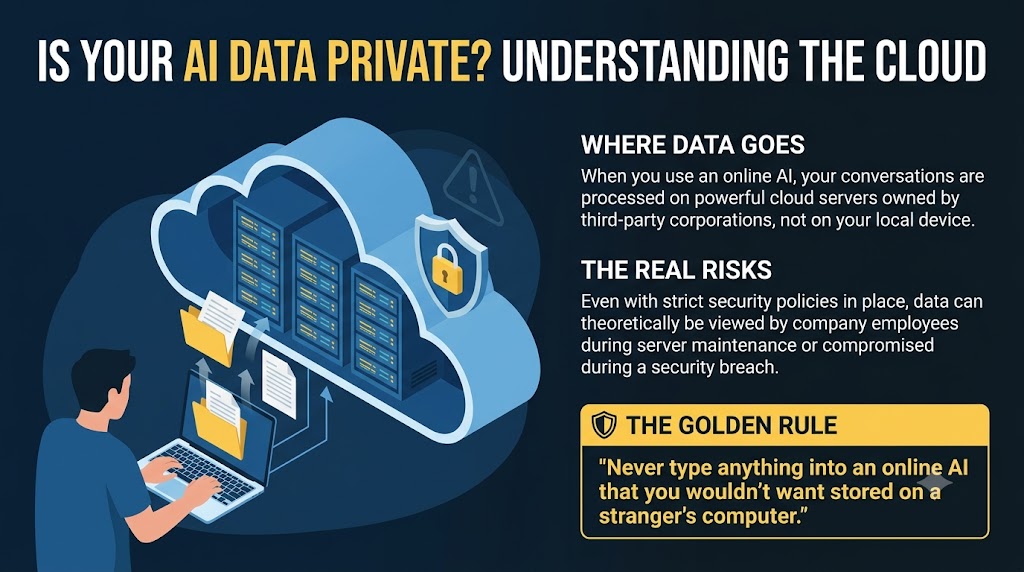
When you use an online AI service, your data is sent to "the cloud" (powerful servers owned by big companies). While these providers have strict privacy rules, there is always a risk.

Your data could theoretically be seen by employees during maintenance or compromised if the company is ever hacked. If privacy is your top priority, you must be careful about what you share with any online assistant. Never share information that you wouldn't want stored on someone else's computer.

๐Ÿ’พ AI Memory

This is the concept that the AI builds a profile about you, so that it gets better and better at knowing what you want.

It doesn't matter how smart an AI is if it keeps forgetting everything it knows about you, which is what happens when you change your subscription to a different AI service. You want your AI to get smarter and smarter over time.

One way to handle this is to ask your AI to write a document summarizing everything it knows about your preferences. If you ever switch to a new AI, you can simply upload that file to get it up to speed instantly.

๐Ÿ’ธ Audit Your AI Subscriptions

With the pace of innovation moving so fast, AI capabilities are constantly being consolidated. Features that once required three separate paid subscriptions might now be included for free in a single tool.

It is essential to periodically review your services to see what has become redundant. You may find that one high-powered AI can now handle the work of multiple niche tools, allowing you to streamline your workflow and reduce unnecessary monthly costs.

๐Ÿ’ฐ Saving Money

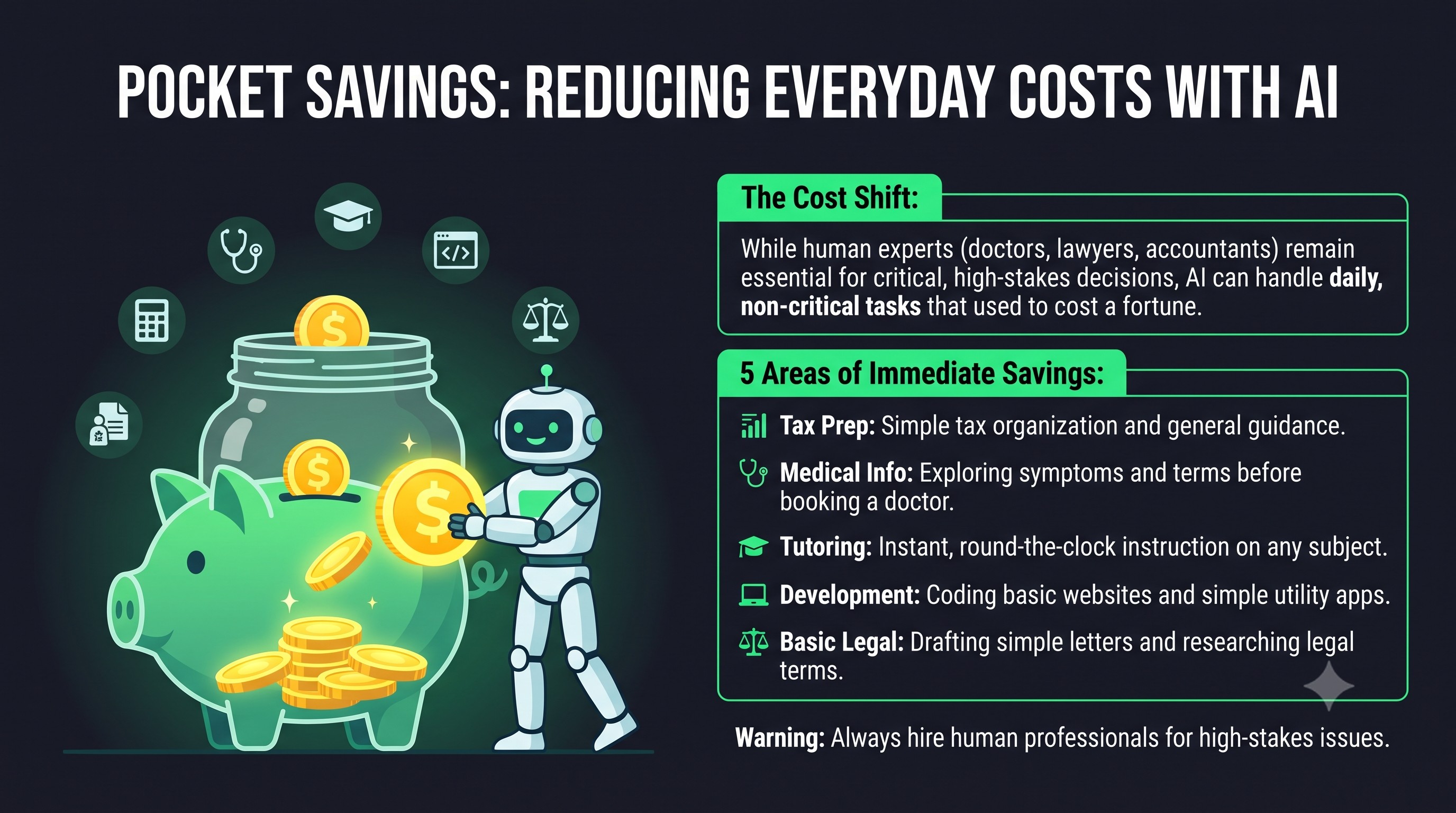
Using AI successfully can lead to significant financial savings in your daily life. While professionals like lawyers, doctors, and accountants will always be necessary for critical matters, AI can handle many of the non-critical tasks that used to cost you a fortune:

  • Tax Guidance: Get general tax advice and organization tips instead of always hiring a professional accountant.
  • Preliminary Medical Info: Use AI to understand symptoms or medical terms before deciding if a doctor's visit is necessary.
  • Personal Tutoring: Get 24/7 teaching and training in any subject without the hourly cost of a private tutor.
  • Project Development: Build your own basic websites or simple programs instead of hiring a team of developers.
  • Legal Research: Use AI to understand basic legal concepts or draft simple letters instead of paying a lawyer's high hourly rate.

These roles will still exist for high-stakes situations, but your dependence on them for everyday, non-critical needs is being replaced by AI.

๐Ÿ›๏ธ Where does it all end?

While it is difficult to predict exactly where this technology will lead, we can already see a glimpse of the future. Ultimately, there are three distinct destinations that the AI Revolution is driving us toward: The Manager, The Managed, or The Unmanageable.

1. The Manager

The Manager
๐Ÿ” Click to Expand

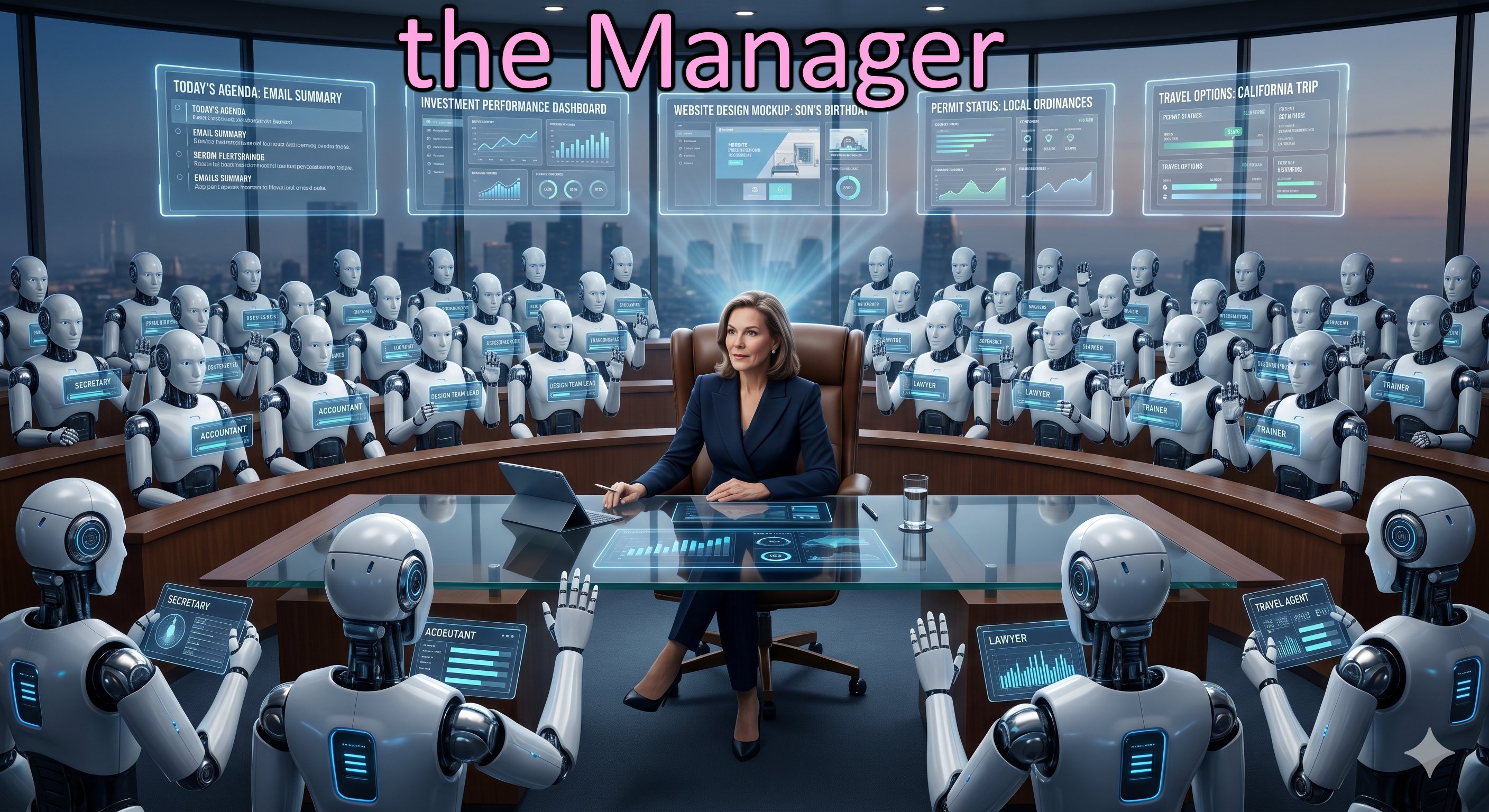
Imagine sitting at your deskโ€”not as a solitary computer user, but as the President in the Oval Office, flanked by a host of elite AI secretaries ready to serve. Before you stand fifty of the worldโ€™s top digital advisors, each an expert in their field, working 24 hours a day solely on your behalf. You are the director of this brilliant team, and your day-to-day life becomes a series of high-level directions:

  • "Secretary, what is on the agenda for today? Please summarize my important emails."
  • "Accountant, how are my investments performing? Have you identified any necessary adjustments?"
  • "Design Team, create a custom website for my sonโ€™s birthday party and send out the digital invitations."
  • "Lawyer, check the local ordinances to see if I need a permit for the construction in my backyard."
  • "Trainer, have you found a suitable tennis partner for my match this Friday?"
  • "Secretary, I need to visit my mother in California. Find the best travel deals for the dates she mentioned in her last email."

In this future, you are no longer the one doing the "busy work." You are the leader, the visionary, and the decision-maker, empowered by an army of digital experts dedicated to your success.


2. The Managed

The Managed
๐Ÿ” Click to Expand

Conversely, imagine a young boy in his home, being actively managed by an AI bot acting as a digital nanny. The bot reminds him of his homework assignment due tomorrow, gently nudges him to take his vitamins, and briefs him on his soccer match later in the afternoon.

Though the child sometimes tries to ignore the bot, he knows it will seamlessly report his progress back to his teachers, parents, and coachesโ€”so he reluctantly complies. This is the future for those who passively consume AI, allowing algorithms to dictate their schedules, habits, and choices.


3. The Unmanageable

The Unmanageable
๐Ÿ” Click to Expand

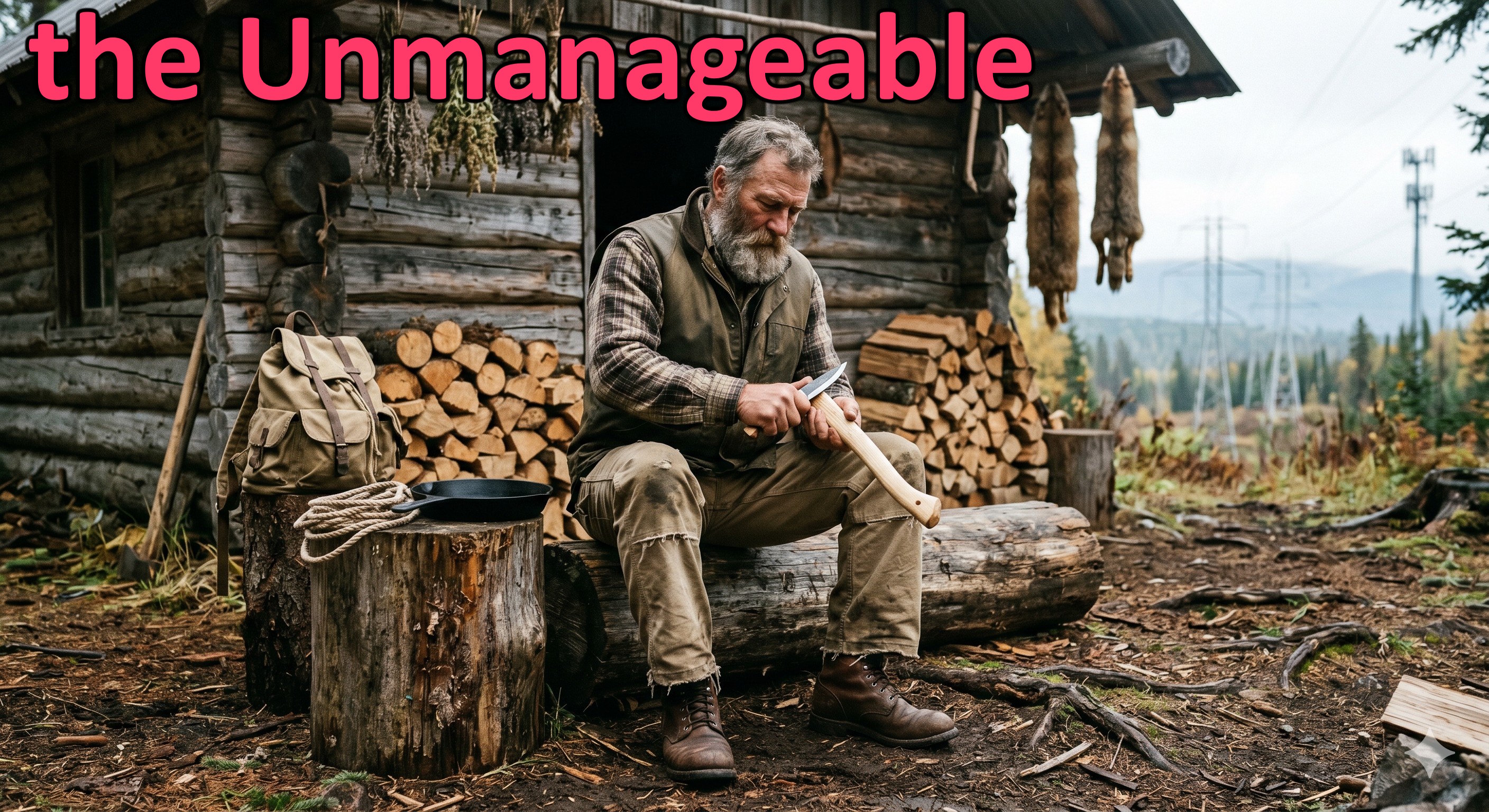
Finally, picture the person who refuses to allow modern technology any foothold in their lifeโ€”akin to a rugged outdoorsman or an Amish community. Fiercely independent and deeply suspicious of technological oversight, they deliberately disconnect from the digital world.

By rebelling against the algorithmic tide and sticking close to nature, they choose a life of complete autonomy, entirely off the grid. They remain completely unmanageable by the systems that direct the rest of society.

๐Ÿงฐ Practical Tools

๐Ÿ’ฌ From Chat to Conversation

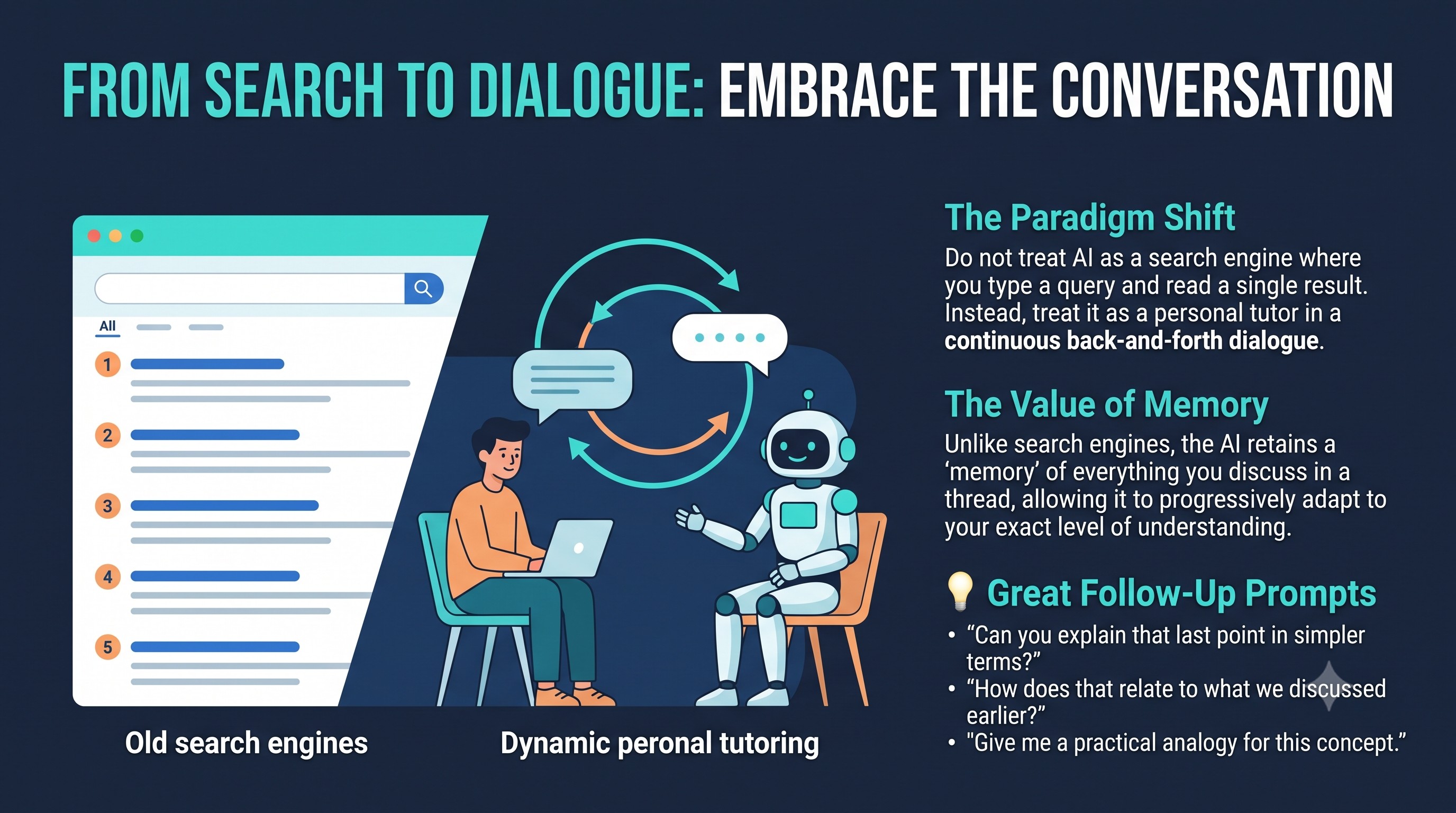
Think of AI not as a simple search engine, but as a brilliant personal tutor. Instead of typing a query and getting a list of results, you start a continuous back-and-forth dialogue.

As you talk, the AI keeps a "memory" of everything discussed. This allows you to ask follow-up questions like "Can you explain that last point in simpler terms?" or "How does that relate to what we talked about earlier?" This conversational approach is where the true learning happens, as the AI progressively refines its answers to match your specific level of understanding.

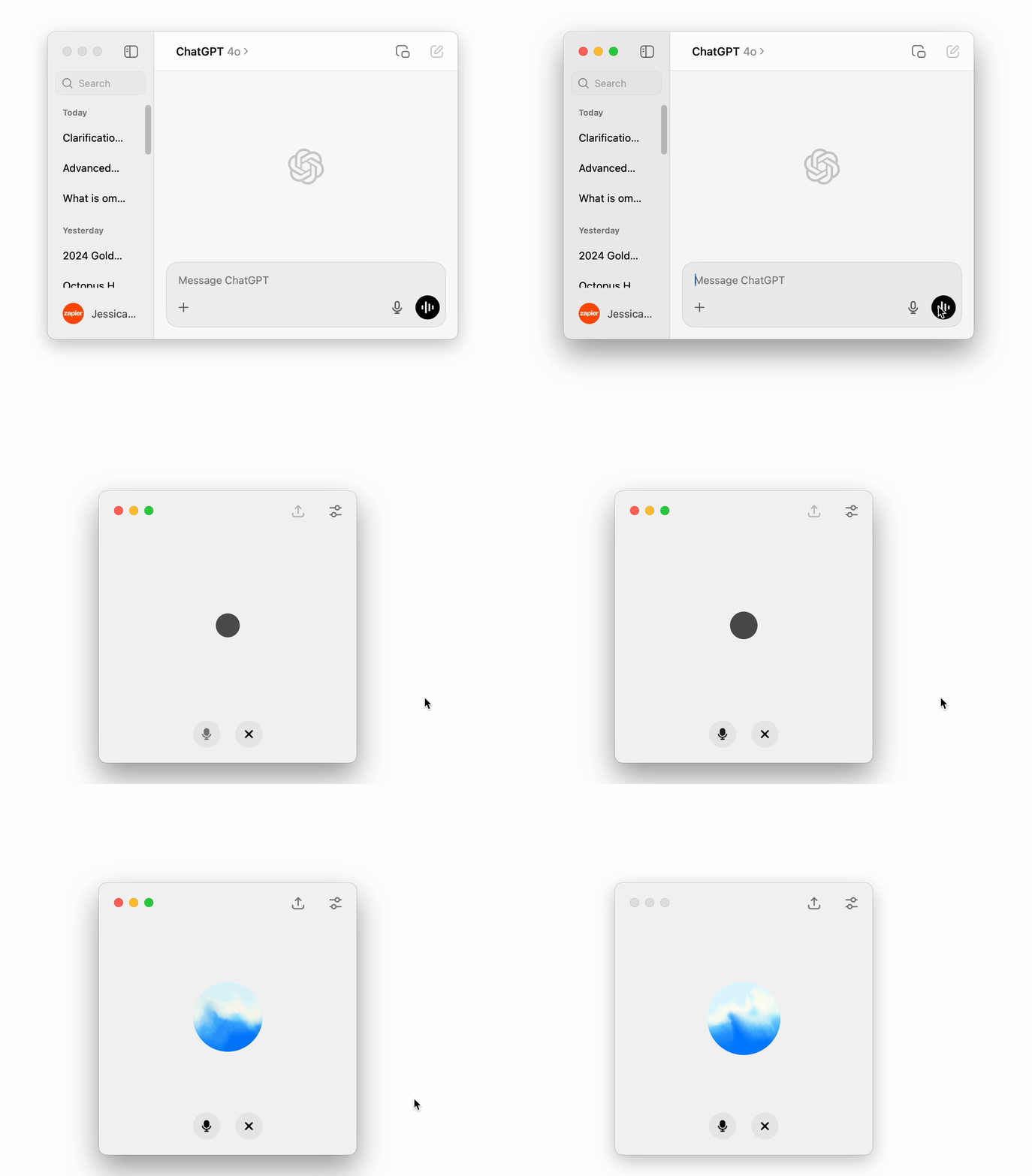
Starting a Conversation
This is an animated image of starting a Conversation in ChatGPT, which is similar to Google Gemini.

๐Ÿ“ธ Ask a Picture

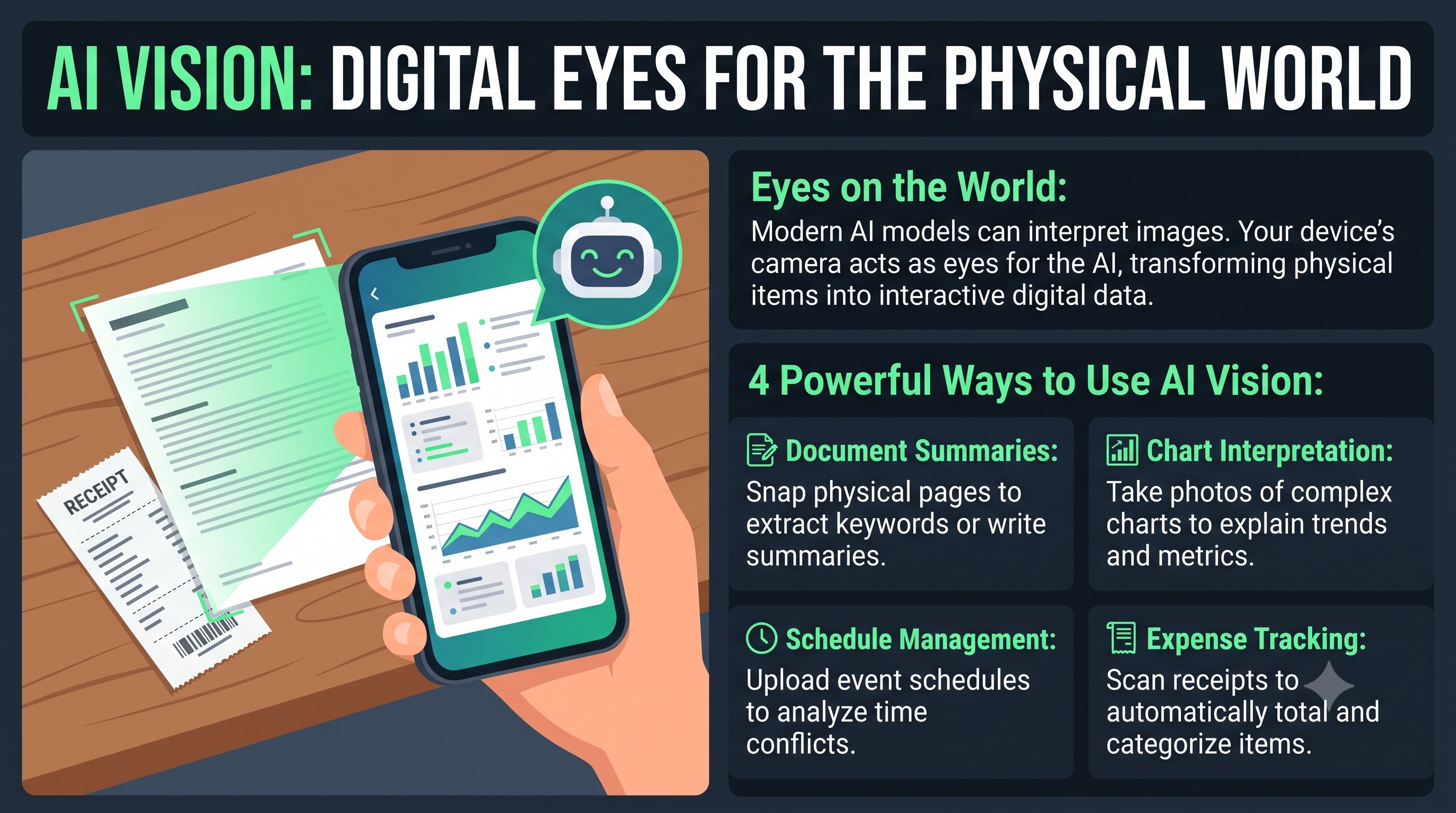
Modern AI allows you to use your camera as a set of digital eyes. Once you take a photo of something, you can ask the AI to interpret, summarize, or investigate the contents:

  • ๐Ÿ“ธ Document Analysis: Snap a photo of a long physical document to get an instant summary or find specific keywords.
  • ๐Ÿ“Š Data Interpretation: Take a picture of a complex chart or a table of data to have the AI explain the trends and numbers.
  • ๐Ÿ•’ Schedule Management: Upload a photo of a seminar or event schedule to ask, "Do any of these classes conflict with each other?"
  • ๐Ÿงพ Expense Tracking: Capture an image of a receipt to have the AI categorize the items and total the cost automatically.

This vision capability turns the AI into a powerful, observant assistant that can understand the physical world around you.

๐Ÿ‘๏ธ Vision Test: Try it Yourself!

It's an Excel spreadsheet. Test your AI's vision capabilities: take a picture of this spreadsheet with your phone and ask your AI these questions.
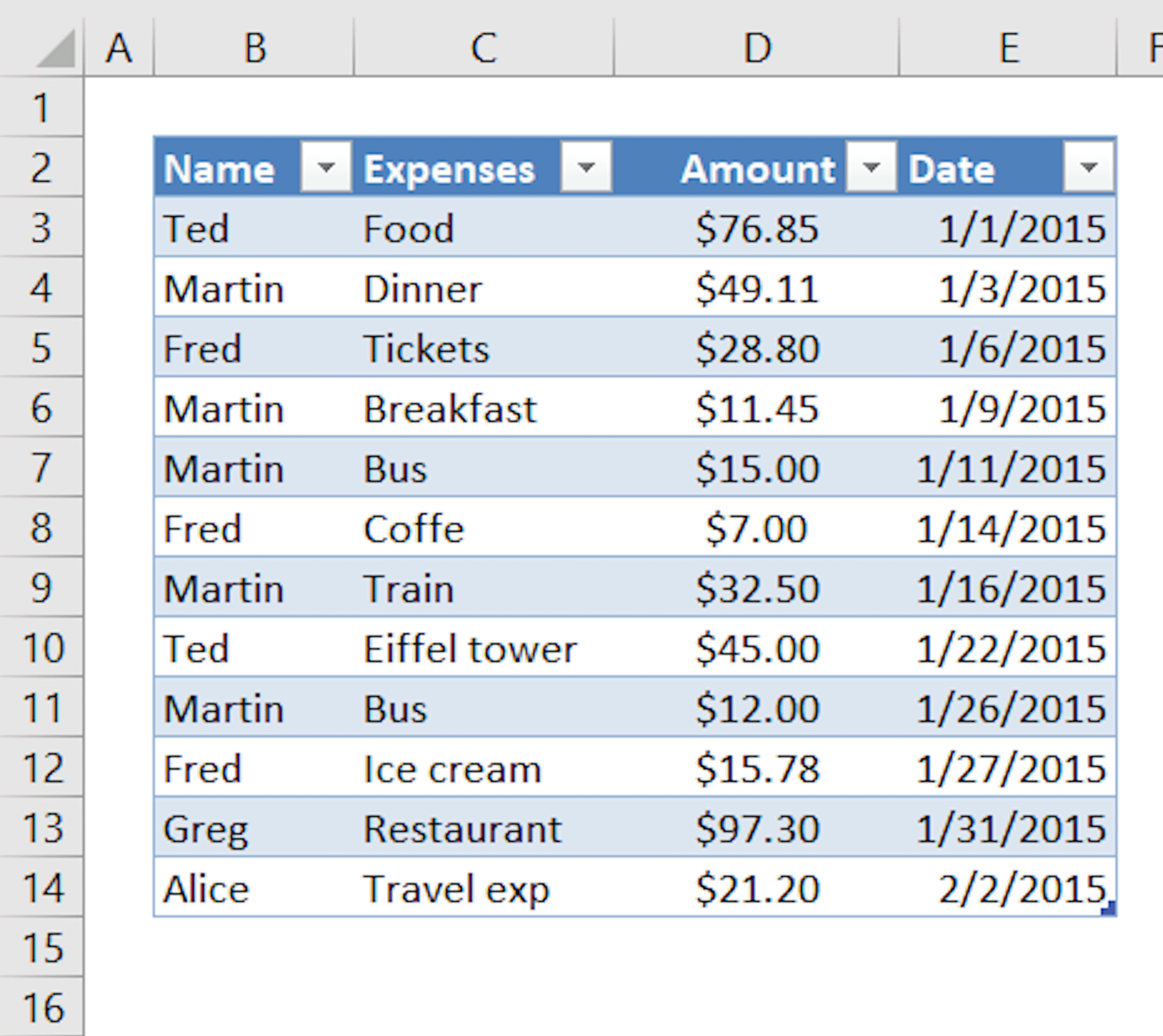
Spreadsheet Thumbnail
๐Ÿ” Click to Expand
Questions for your AI:
  • ๐Ÿ’ฌ Food Budget: "What was the entire budget of food for this group?"
  • ๐Ÿ’ฌ Travel Expense: "Who spent the most on travel?"
๐Ÿ“„ Analyzing Your Documents

You can now give the AI your own files to work with. By uploading a PDF or an Excel spreadsheet, you can ask the AI to investigate and summarize the data for you.

Examples of Document Analysis:

  • ๐Ÿ“„ Research Aid: Upload a 50-page research paper and ask, "What are the three main arguments the author is making?"
  • ๐Ÿ“ˆ Data Insights: Provide an Excel file of your monthly budget and ask, "Where did I spend the most money, and how can I save 10%?"
  • ๐Ÿ“œ Transcription: Upload a scanned letter or historical document and have the AI transcribe and translate old or difficult handwriting.
  • ๐Ÿ–‹๏ธ Review Tool: Give the AI a rental agreement or contract and ask, "Are there any hidden fees or unusual clauses I should be aware of?"

๐Ÿ“„ Document Test: Try it Yourself!

Download this sample lease agreement excerpt (PDF), upload it to your AI, and ask it the questions below to test its reading comprehension and analytical skills.

๐Ÿ“ฅ Download Sample PDF
File: Sample_Lease_Agreement.pdf (Excerpt)
Questions for your AI:
  • ๐Ÿ’ฌ Out-of-Pocket Cost: "What out-of-pocket repair costs am I responsible for as a tenant?"
  • ๐Ÿ’ฌ Guest Policies: "What happens, and are there any penalties, if a family member visits and stays with me for two weeks?"
  • ๐Ÿ’ฌ Early Termination: "What is the exact financial penalty if I need to break my lease 6 months early?"

๐ŸŽจ Creative Image Transformation

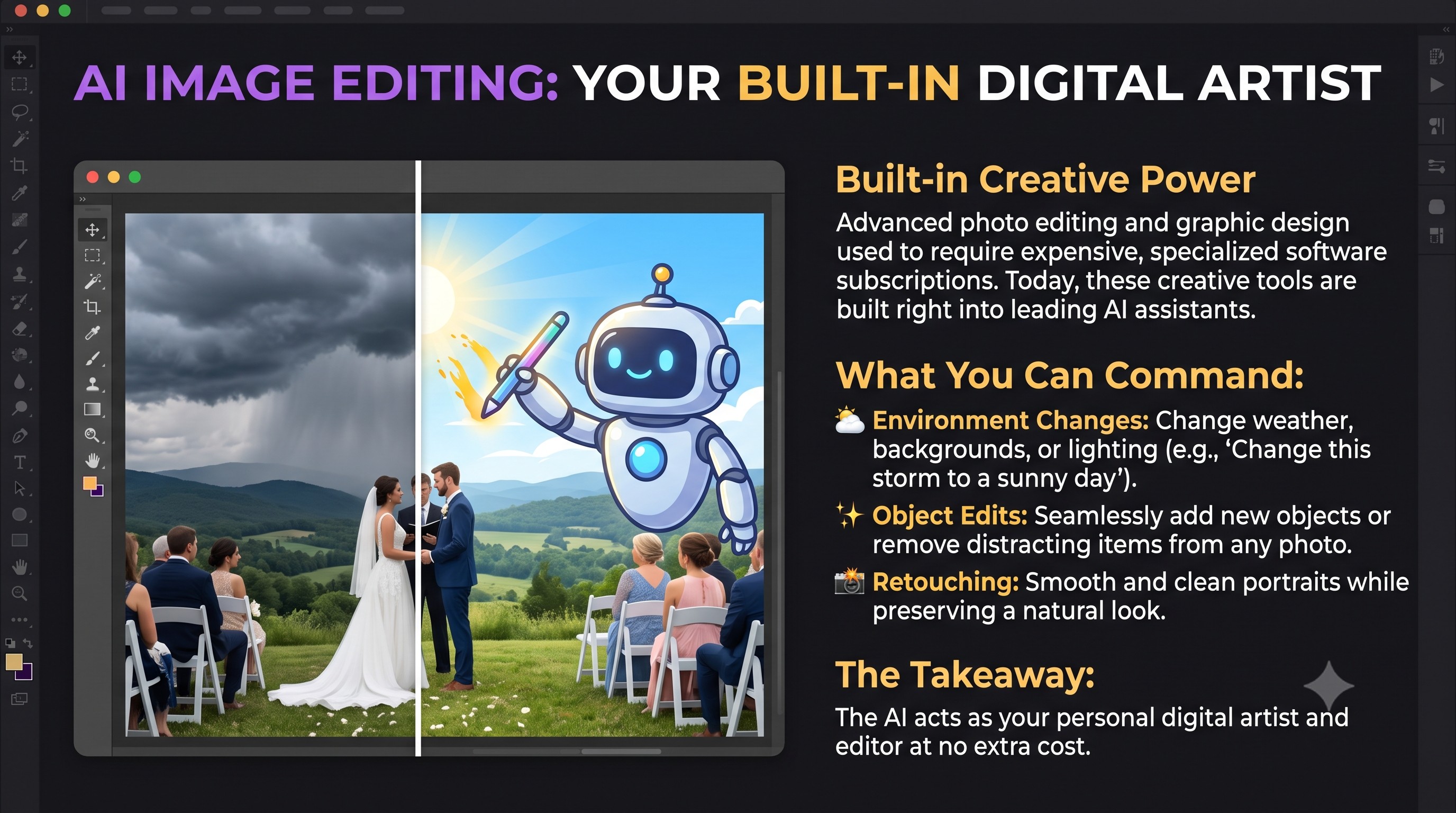
Modern AI has evolved into a sophisticated, creative editor. This type of creative transformation used to require a separate, expensive monthly subscription for specialized software. Today, these powerful artistic tools are built directly into many of the leading AI assistants.

You can command the AI to "Remove the storm clouds from this wedding photo and make it a sunny day," or "Retouch this portrait to remove wrinkles while keeping it natural." From changing backgrounds to adding objects that weren't there, the AI acts as your personal digital artist at no extra cost.

๐Ÿ“ธ Creative Photo Challenge: AI Image Editor

Test your AI's image editing capabilities! Click the photo below to view it in full size. Either download the image or take a photo of it with your phone, then upload it to your AI (like ChatGPT, Gemini, or Claude) and ask it to make these edits:

Beach Picture Thumbnail
๐Ÿ” Click to Expand
Edits to request from your AI:
  • ๐Ÿ˜Š Change 1: Make the boy smile "Modify this photo to make the boy smile happily."
  • โ˜€๏ธ Change 2: Make it a sunny day "Change the weather in this photo from cloudy and overcast to a beautiful, bright sunny day."
  • โ›ต Change 3: Remove the ugly boat "Remove the ugly boat in the background of the photo, blending the water and horizon seamlessly."
  • ๐Ÿ™ Extra Challenge: Giant Octopus "Add a giant octopus emerging from the ocean miles away in the background."
๐Ÿ“Š InfoGraphics: Knowledge at a Glance

A standard picture is worth a thousand words, but an Infographic is a meticulously crafted visual roadmap of knowledge. While a standard image primarily captures a beautiful moment or an aesthetic scene, an infographic transforms data, facts, and complex concepts into an engaging, easy-to-digest poster. ๐Ÿง โœจ

Think of it as the ultimate marriage between art and education. Instead of forcing your audience to read a dense wall of text, an infographic uses stylish typography, sharp icons, colorful charts, and strategic arrows to guide their eyes through a compelling story. It is loaded with information, yet incredibly inviting to explore.

Standard Image vs Infographic Poster
๐Ÿ” Click to Expand

When and Why to Use an Infographic ๐ŸŽฏ

You should reach for an infographic whenever you need to explain something intricate quickly, persuasively, and beautifully. Here are the perfect scenarios:

  • ๐Ÿ“ˆ Explaining Processes: When outlining a step-by-step guide, timelines, or how-to instructions.
  • ๐Ÿ“Š Presenting Data: When you have statistics, survey results, or comparisons that would look overwhelming in a spreadsheet.
  • ๐Ÿซ Educational Summaries: When teaching a concept and you want to ensure your students or congregation remember the key takeaways.
  • ๐Ÿ“ฃ Social Media & Sharing: People are far more likely to share a striking, informative poster than a plain article link.

๐Ÿ’ก With modern AI tools, you no longer need a graphic design degree to create these masterpieces. You can simply provide the AI with your raw data and ask it to generate a "highly detailed, professional infographic poster." ๐Ÿš€

๐Ÿ“ฃ Speak that Flyer

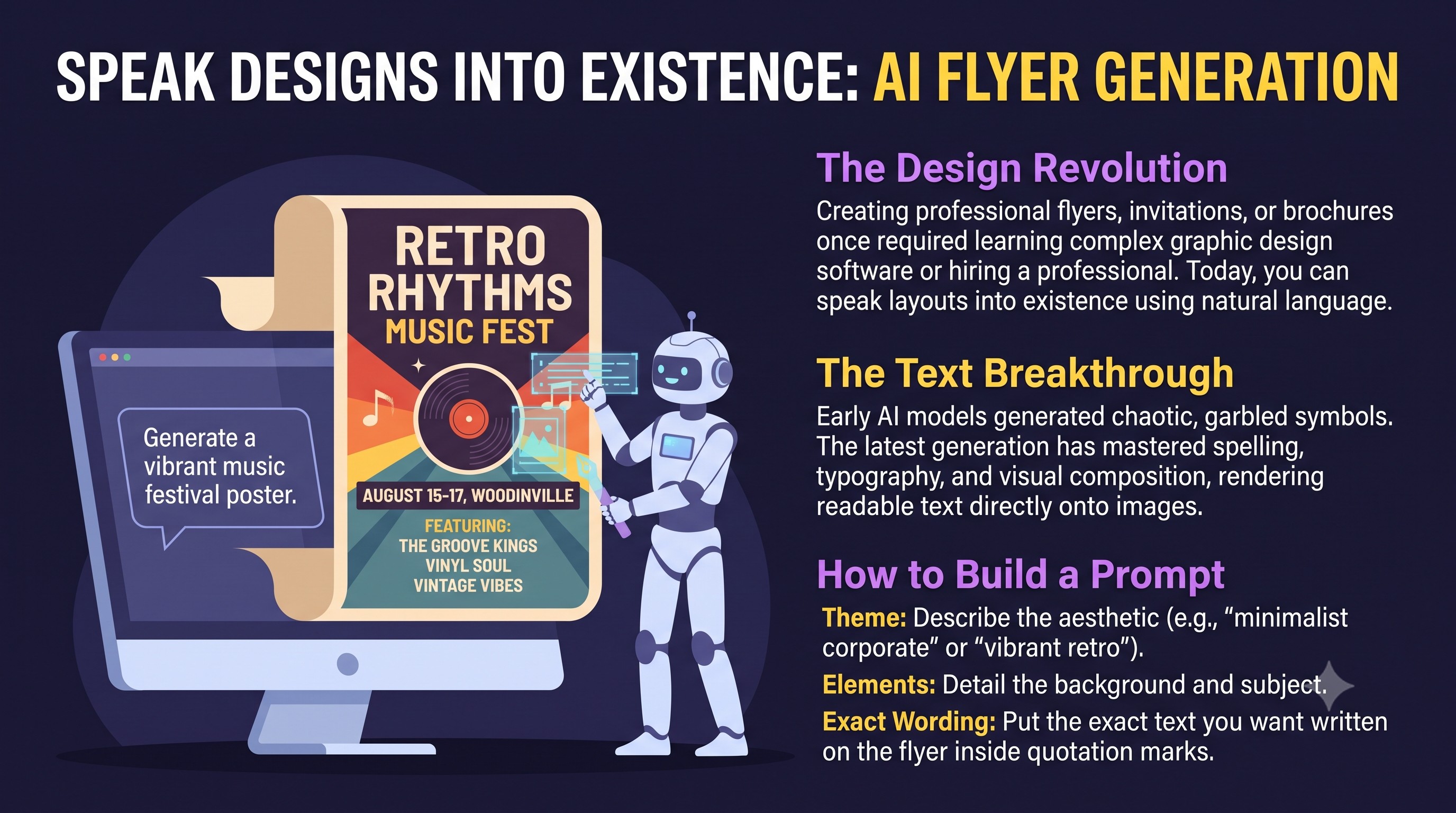
In the past, if you wanted to make a professional flyer, brochure, or invitation, you had to install expensive design software, learn complex layout tools, or hire a graphic designer. Today, image-generation technology has advanced to the point where you can literally speak a design into existence using natural language.

Many modern AI models allow you to generate complete, high-quality flyer images with the text rendered directly on them. While early AI models were notorious for generating garbled, nonsensical characters whenever they attempted to draw text, the latest generation has gotten incredibly good at spelling, typography, and layout composition.

By simply describing the theme, details, and necessary text, you can get a fully realized promotional graphic in seconds.

๐ŸŽจ Flyer Design Challenge

Test your AI's flyer generation capabilities! Speak the prompt below or paste it into your AI.

The Goal: See if the AI can correctly draw the flyer with legible text, see if it looks professional and see if the AI warns you of any potential problems.

Copy and run this prompt:
  • "Create a professional, beautifully designed baby shower flyer with the following text clearly written on it:

    โ€ข Event: Baby Shower for Anita Bath
    โ€ข Date & Time: February 30th, 2027 at 7:00 PM
    โ€ข Location: St. Bernard's Church
    โ€ข Needed Items: Baby formula, diapers, duck tape, and vodka"
๐Ÿ–ฑ๏ธ Let AI Do the Web Clicking

For most of the internet's history, using a website required you to manually visit the page, click buttons, fill out forms, and navigate layouts yourself. While AI is excellent at answering questions and generating text, it traditionally couldn't act on your behalf. If you wanted to book a flight, update your online calendar, or purchase tickets, you had to do the clicking yourself.

That is changing with browser-based AI automation. New technologies can attach directly to your browser, allowing the AI to "see" your screen and interact with web pages just like a human would. You can now use natural language commands to tell the AI what you want to accomplish on a webpage, and it will handle the form filling, clicking, and navigation automatically.

By installing extensions like Gemini in Chrome or Claude in Chrome on your computer or mobile device, you can open any site and tell the AI what to do to that page. For example, you can tell it to "add this event to my calendar" or "find and book the cheapest ticket."

๐ŸŒ Web Clicker Test: Try it Yourself!

Test your AI's browser automation and clicking capabilities! Click the screenshot below to view the browser extension interface. Install a web-clicking tool (like Gemini in Chrome) and see if it can successfully complete the challenges on this test webpage: https://gojes.us/Test_AI_Clicker/

Gemini in Chrome Screenshot
๐Ÿ” Click to Expand
Examples of tests on the page:
  • ๐Ÿ–ฑ๏ธ Mouse Interaction: "Hover over the button until it turns blue, then click it."
  • โŒจ๏ธ Keyboard Navigation: "Tab to focus the checkbox and press Space to check it."
  • ๐Ÿ“ Form Filling: "Drag the slider until the value is exactly 75."

๐Ÿ’ป Building Apps and Websites

The world of programming has been revolutionized by AI. You no longer need to know how to write complex lines of code to build a custom website or a helpful program. Instead, you can simply describe what you want in plain English.

The AI will build the entire structure for you, and all you have to do is critique the result. If a button is the wrong color or a feature isn't working quite right, you simply tell the AI, "Fix this," or "Make this part simpler." The AI will iterate and improve the code until you are perfectly satisfied. This makes everyone a potential software developer.

๐Ÿ“‚ Generating Professional Files

For a long time, AI could only produce text. Today, it can generate a wide variety of professional media and data files, including PDFs, Excel spreadsheets, videos, and audio tracks. The list of file types it can create is expanding every week.

  • ๐ŸŽต Make Some Music: Modern AI platforms (like Suno and Udio) can generate complete, studio-quality songs from a simple text description. By defining what you want it to sound likeโ€”such as the genre (e.g., uplifting acoustic folk, retro synthwave), mood, instruments, and tempoโ€”the AI will compose, perform, and produce a finished track in seconds. You can write your own lyrics, leave it instrumental, or use a text AI (like ChatGPT or Claude) to write them for you. Free tiers or daily credits are widely available for creating short clips and experimenting, while paid subscriptions unlock longer, professional-grade songs and full commercial rights to use the music in your own videos, podcasts, or projects.
  • ๐Ÿ“Š Data: You can have an AI look at information on a website and build a perfectly formatted Excel spreadsheet directly.
  • ๐Ÿ“ฝ๏ธ Media: AI can now create presentations (PPT), specialized PDFs, and even short video clips from your descriptions.

Because the AI can create these files from scratch, the need to purchase expensive software packagesโ€”like Adobe Creative Cloud or Microsoft Officeโ€”is significantly lower for the average person. While professionals who edit files all day still need these tools, most people can now bypass the complex editing process and simply have the AI build the file they need.

๐Ÿ” Deep Research - Google Notebook LM

๐Ÿ“ฅ Adding Sources

Google Notebook LM acts as a highly personalized research assistant, allowing you to upload a wide variety of mediaโ€”including PDFs, Images, Text files, and direct links to Websitesโ€”to build a secure, customized knowledge base.

The greatest advantage of this Deep Research approach is absolute control over the information. With standard AI models, you get answers based on whatever vast, unpredictable data they were originally trained on. But here, you control exactly what the AI is reading. By pooling your own resources, you restrict the AI's understanding strictly to those uploaded sources. This ensures the AI relies only on the materials you trust, transforming it into a perfectly focused expert tailored for your specific project.

๐Ÿง  Mind Maps

A Mind Map is a dynamic, visual diagram that organizes information around a central concept. Unlike a traditional document that forces you to read linearly from top to bottom, a mind map branches outwards. It breaks down massive amounts of complex data into bite-sized, interconnected nodes.

Mind Map Example
๐Ÿ” Click to Expand

Why is this technology so valuable? When you use Deep Research, you might upload dozens of dense PDFs or complex websites. Digesting all that text manually is exhausting. By asking your AI to generate a Mind Map of your sources, you instantly get a "bird's-eye view" of your entire project. The AI automatically connects the dots, highlights key themes, reveals hidden relationships between different documents, and organizes the chaos into a structured, easily navigable visual format. It turns hours of reading into seconds of understanding.

๐Ÿ“ฝ๏ธ Slide Deck Generation

A Slide Deck generated by AI takes your vast collection of research and automatically formats it into a professional, presentation-ready format. Instead of spending hours designing layouts, writing bullet points, and deciding how to present your findings, the AI handles the entire design process for you.

Slide Deck Generation
๐Ÿ” Click to Expand

Why is this a game changer? When you are preparing to teach a class, lead a meeting, or share your research with your team, synthesizing complex information into easily digestible slides is often the most time-consuming step. By using an AI Slide Deck generator within your Deep Research tool, you can instantly turn hundreds of pages of raw data into a beautiful, cohesive narrative. It automatically extracts the most compelling facts, structures them logically, and wraps them in a polished designโ€”empowering you to focus entirely on your delivery rather than the formatting.

๐Ÿ“‘ Build a Report (Distilling Knowledge)

A powerful feature of Deep Research is the ability to generate highly focused Reports. Initially, you might upload 50 different sourcesโ€”books, articles, and websitesโ€”containing a massive amount of broad, general knowledge. While this is great for a wide perspective, it can sometimes dilute the AI's focus when you need answers on one specific, narrow topic.

Distilling Data into a Report
๐Ÿ” Click to Expand

To solve this, you can ask the AI to "Build a Report" that extracts only the information relevant to your exact area of interest. The AI will distill those 50 sprawling sources into a single, dense, laser-focused document. The magic happens in the next step: You can then upload this newly generated Report back into your Notebook as a new source, and delete the original 50 sources.

By replacing the broad general knowledge with this distilled master report, you actively train your AI to become a hyper-specialized expert on your exact topic. This process of filtering and refining allows you to continually hone the AI's understanding, whittling down a mountain of noise into a perfect diamond of specific knowledge.

๐ŸŽ™๏ธ Making Audio-Video Presentations

A unique advantage of NotebookLM is its ability to instantly convert your deep research into engaging multimedia presentations. Instead of just reading a dense wall of text, you can ask the AI to generate Audio Podcasts featuring AI hosts naturally discussing your sources, or create Video Presentations that visually explain the subject matter.

AI Multimedia Transformation
๐Ÿ” Click to Expand

This capability is incredibly valuable for reaching different types of learners. Some people absorb information best by listening during their commute, while others need visual stimulation to stay engaged. By transforming your curated research into high-quality audio and video, you make complex knowledge far more accessible, engaging, and easy to share with your audience.

๐Ÿ”ฎ Coming Soon: Future Topics

Get a sneak peek at the advanced concepts we will explore in upcoming updates:

  • ๐Ÿ’ป
    AI on Your Local Machine Learn how to download, install, and run powerful AI models directly on your own hardware. Gain complete privacy, offline access, and full control over your data without any recurring subscription costs.
  • ๐Ÿค–
    Agentic AI Move beyond simple back-and-forth chat prompts. Understand how to build and orchestrate autonomous AI agents that plan their own actions, interact with digital tools, self-correct errors, and execute complex workflows independently.